How to Check End-to-End Encryption in a Cross-Platform RCS Chat
The 2026 rollout is worth checking conversation by conversation, especially after a group or network changes.
In this article
- Check the devices and the conversation
- Try a harmless test and verify delivery
- Know which exposure the encryption addresses
- Make the fallback explicit
- Read the route before interpreting the badge
- Rehearse a service interruption while the message is harmless
- Distinguish messages in transit from copies at the endpoints
- Write a usable rule for ordinary messages and important ones
Two phones can agree to use RCS while still displaying different clues about whether a particular conversation is encrypted end to end. Google and Apple began rolling out interoperable encryption in May 2026. The useful question is what the participating phones say about this conversation now.
Check the devices and the conversation
Update the device and messaging app using the platform’s normal update process. Look up the feature support for your current software, carrier and market, then verify that RCS is enabled on both sides. The initial rollout involved iOS 26.5 with supported carriers and current Google Messages on Android. Rollouts and interfaces change. An older screenshot can help locate a menu but cannot confirm whether two phones meet current requirements.
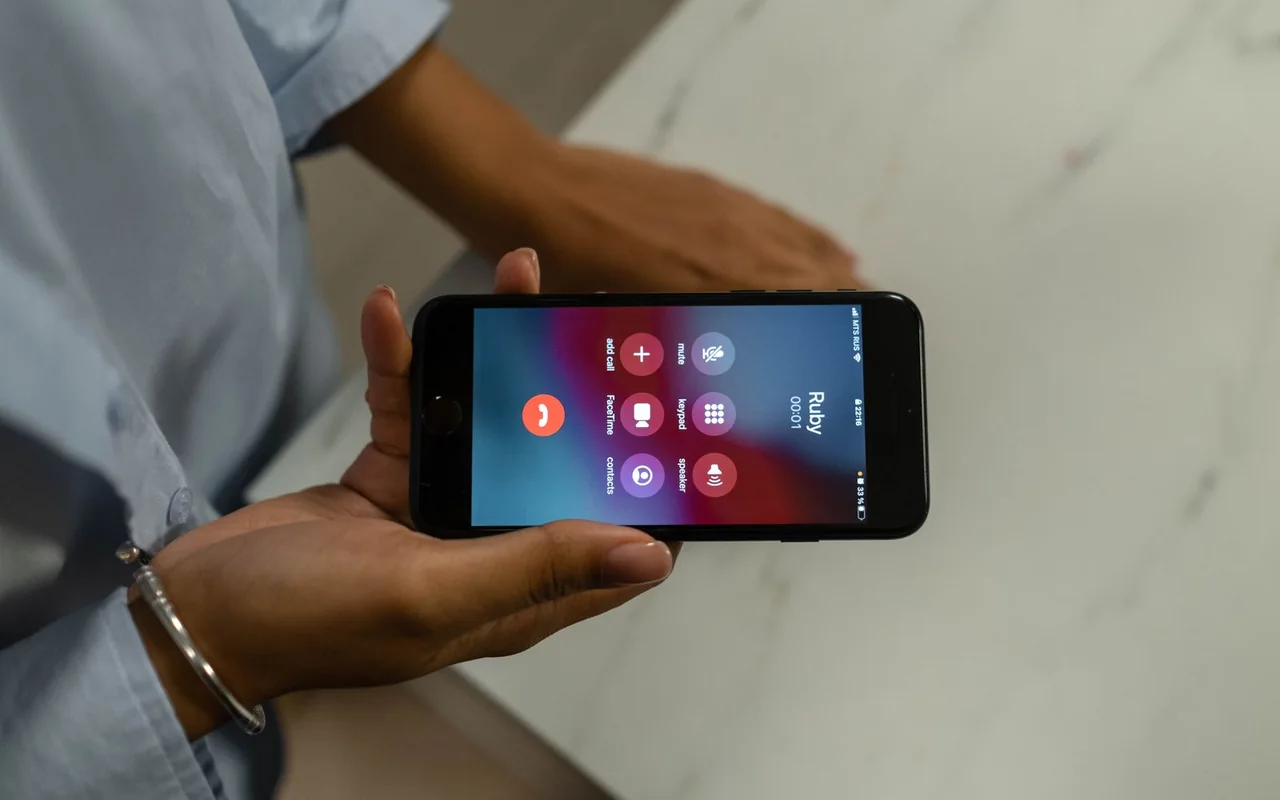
Open a one-to-one conversation and look for the app's end-to-end encryption indicator or conversation details. Google Messages uses a lock where encryption is available for the conversation. Have the other participant do the same on their phone. A color shared by several delivery types, the presence of typing indicators or a previously encrypted conversation can be misleading during a transition.
Try a harmless test and verify delivery
Use a short ordinary message and inspect the status while it is sent and after it arrives. If the other phone switches apps or turns off RCS, observe the outcome with another mild message. Learn where your app displays a fallback or asks whether you want to send through SMS or MMS. Systems vary in how they perform and announce that change. Send material that relies on encrypted delivery only after confirming the conversation carries it in the expected manner.
A group changes the set of participating devices. After adding someone or creating a replacement group, check the new conversation before treating it like the earlier one. Participants can run different apps, and a text copied out of an encrypted conversation is governed by what happens where it is pasted.
Know which exposure the encryption addresses
End-to-end encryption protects message contents along the supported communication path between endpoints. Notification previews, unlocked devices, screenshots and backups are separate places where the material may remain accessible. Delivery or account metadata may also have different treatment from message content. Assess those separately if the conversation routinely contains sensitive information.
Make the fallback explicit
Agree on an alternative communication channel for matters that require a confirmed private exchange. Test it while both people have easy access to their devices. Saving a small private checklist for verification and recovery is useful when someone replaces a phone, moves a SIM, changes a messaging app or rejoins a group.
Read the route before interpreting the badge
Three properties can change independently: the way an app addresses a recipient, the service used for a message and the encryption status that service supports for the conversation. RCS provides richer messaging features over a data connection. Its use does not establish end-to-end encryption. Apple’s iPhone user guide groups RCS, SMS and MMS under the green send button, so an iPhone’s color convention cannot tell you which of those services a particular message will use. Google’s rollout announcement describes the lock shown for eligible encrypted conversations in Google Messages. Both guides point toward checking app-specific status close to the send action. An earlier message with a lock describes that exchange, while a reused conversation can encounter different conditions later.
TLS and end-to-end encryption address different places where messages could be read. Google describes TLS as a protection for its RCS connections even when end-to-end encryption is unavailable. In ordinary terms, a protected connection between the app and a service can prevent a passive observer on the path to that service from reading it. End-to-end encryption adds protection intended to limit readability of the content to communicating endpoints under the supported design. This distinction is why an HTTPS connection or enabled RCS settings panel cannot substitute for the conversation indicator. Changes in carrier support, participant apps and settings can affect what is negotiated, and older screenshots often document a feature from before interoperable rollout. Use the launch announcement to establish what changed and current app documentation to see what support your devices claim.
Compare an explicit warning with an absence of status. If the screen confirms encrypted delivery, identify which recipients and which message that confirmation applies to. If it shows only “RCS” or offers “send as text message,” the interface is telling you something about delivery without demonstrating that the content remains end-to-end encrypted. If the device you normally use was replaced and the contact identity now looks different, use an already known contact route to confirm you have the right recipient before trying a new one. A legitimate migration can change display details. The ordinary way to handle uncertainty is to keep the first exchange harmless while each side can open the supported settings, read the same stage of the message and report what they see.
Rehearse a service interruption while the message is harmless
Draft an ordinary sentence such as “Please reply when you receive the blue card.” Share that you are testing and ask the receiver to report the app and device they used. Confirm initial status at the send control and check whether the app keeps any status visible when the bubble is delivered. Then simulate a temporary lack of network or use a known setting change with mutual permission, avoiding interruption to unrelated contacts. A stalled RCS message can remain queued while a phone waits for connectivity. A user choice to resend by SMS or MMS is a change in service, even if the conversation places the replacement beside the old bubble without much visual change. Keep the first message suitable for either route so you can learn how the app communicates the transition.
One possible test result is an encrypted conversation at 15:00, a retry notice at 15:02, and the same message arriving later when data returns. Another is an explicit option to send the undelivered message as SMS, taken by the tester only. The second result demonstrates how the device exposes fallback on that configuration. It does not establish what it does when automatic fallback is configured differently. Look at the supported resend options for the phone and decide what should happen when a reliable data route is unavailable. Convert that choice into a plain instruction for yourself: wait for the expected channel, send a harmless coordination note by the available method, or call through an already agreed route. The reader should be able to follow it without finding the settings page in a hurry.
Check attachment and group handling only after the simple test behaves as expected. Send a picture made for testing rather than a current screenshot or a contact card. Apply the same care to quoted replies, contacts and file attachments because their contents can be visible in previews or stored separately by the receiving application. If the group was recreated, the earlier group name may return while the participants and availability of encryption have changed. Verify membership and the new group’s status with the current participants. For a test involving temporary cellular loss, restore previous settings and send one final benign confirmation. Keeping the boring test message identical across conditions makes it easier to compare behavior before, during and after a change.
Distinguish messages in transit from copies at the endpoints
Consider a private message containing an itinerary. Even if every supported transit protection works, the person with legitimate access can take a screenshot, copy the itinerary to a calendar or show it on an unlocked device. Their phone might display a preview on a watch or lock screen, and the group’s participants can read downloaded attachments outside the original app. Review the ways the people involved ordinarily view and forward material. Account features such as messaging on a computer or text forwarding may change where copies appear. That does not imply the encryption failed. The fact you need to verify will determine whether checking a message’s status is enough or whether you should also check which devices can present it and what their local settings permit.
Backups are another separate surface. The messaging app and the device platform may distinguish protected local content, notifications and contents included in a backup. A restored device can also hold older conversations accessible long after a device migration. Read the documentation for the backup feature actually enabled rather than inferring it from the conversation badge or the type of file in a synced folder. If losing the phone is the scenario you want to prepare for, know which account permits device and session recovery. If losing access to one recipient is the scenario, a known independent contact path may be more valuable than changing an option on both devices before you can check their status. Backups, login recovery and delivery protections each answer a separate practical question.
Write a usable rule for ordinary messages and important ones
A household may be comfortable coordinating groceries with whatever app a relative already has, while wanting a confirmed route for a document with personal details. Decide what can travel by an unverified path and what should wait. In an uncertain situation, send a short, harmless message arranging a confirmed way to exchange the document. Confirm that the people and devices you actually need can use the selected route. An encrypted feature that requires a supported carrier, a particular device or an update can be unavailable exactly when someone is setting up a replacement phone. Keeping a reliable fallback in place gives users time to check the current conversation rather than guessing from bubble color, a remembered setting or a familiar group title.